Every feed, found for you
Paste a website, a feed link or a YouTube channel. Rivulet discovers the feed and keeps it fresh, with thumbnails pulled from the posts themselves.
RSS 2.0RSS 1.0AtomYouTube channelsWebsite links
Free and open-source RSS reader
Rivulet keeps the blogs and sites you love in one calm place. No account, no ads and no server: your feeds and articles stay on your device.
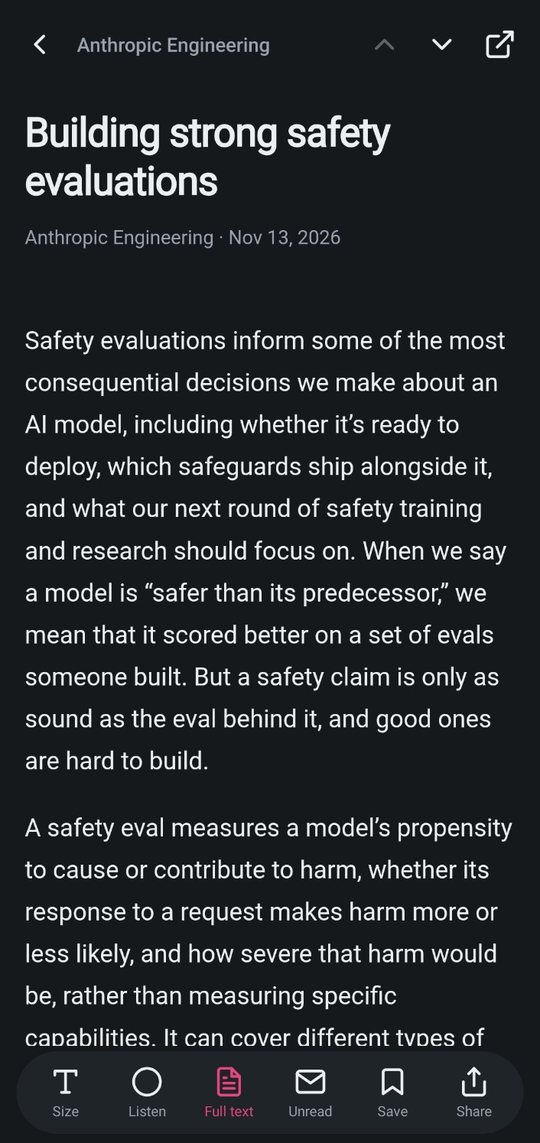
Starter feeds included
Features
A fast, focused reader with the tools that make RSS worth coming back to.
Paste a website, a feed link or a YouTube channel. Rivulet discovers the feed and keeps it fresh, with thumbnails pulled from the posts themselves.
Pick an accent colour. On Android the app icon follows it, and you can choose cards, list or titles-only layouts in light or dark.
Try it: this page and the icon change with your pick.
Feed only sends a teaser? Rivulet fetches the page text so you can read the whole thing here.
Full textHave articles read aloud. Skip by paragraph and change the speed, with the current paragraph highlighted.
Folders, unread counts, search and save for later. Move your feeds in or out any time with OPML import and export.
On Android, Rivulet can check your feeds in the background and tell you about new posts. It all happens on your phone, with no account or server.
Privacy
Open the app and start reading. There is no Rivulet account to create, and nothing to pay for.
Feeds, articles, saved posts and settings live in a local database on your phone, and saved articles stay readable offline.
Every line of code is on GitHub, and you can export your feeds as OPML whenever you want to leave.
Install
Rivulet is an APK you download from GitHub and install yourself.
Grab the latest version from the Releases page on GitHub.
Open the file. If Android asks, allow installs from your browser or file manager, just for this one app.
A starter Engineering Blogs folder is already there, or paste any site or feed link.
Requires an Android phone with a 64-bit ARM processor, which covers nearly all phones from the last several years. Want to build it yourself, or run it on iOS? The README has the steps.